logo

Tutorials

divider

When I first started playing with Poser and Amapi 3D (the first 3D modelling programme I got my hands on), I found the whole process frustrating, time consuming and unnecessarily difficult. Online tutorials were very helpful (far better than the user manuals in most cases), but often aimed at a higher level than outright beginner.

As I'm only a hobbyist, my tutorials are simple. They are aimed at people starting out in 3D and will hopefully make those early learning curves a little easier.

I wrote a 3D primitive modelling tutorial for the Pillars set below, and have put together some tutorials to accompany it for Daz|Studio, Poser and Carrara. The idea is that with these tutorials as reference, you can make a set like this from scratch with little or no knowledge of 3D programmes.

I'm very happy to take feedback on these, or suggestions for other tutorials.


divider

top tips Top Tips for getting started: If you're thinking of buying some 3D software, here are some hints and tips before you splash out.
getting started Top Tips for 3D renders: So you're ready to post your latest render. Here are some of the pitfalls I've stumbled into in the last few years, and some suggestions on ways of getting around them.


divider

Basic modelling skills for Daz|Studio, Poser and Carrara

Poser Basics

This guide covers the basics of what you'll need to know to complete my Pillars tutorial in Poser. It explains how to change the view and navigate around your workspace, how to create a shape and move it around, how to parent props and add them to your content libraries, and how to assign a material.

 Easily Create 3D Art and Animation!

Daz|Studio Basics

This guide covers the basics of what you'll need to know to complete my Pillars tutorial in Daz|Studio. It explains how to change the view and navigate around your workspace, how to create a shape and move it around, how to parent props and add them to your content libraries, and how to assign a material.

New 3D Artists Start Here

Carrara Basics

This guide covers the basics of what you'll need to know to complete my Pillars tutorial in Carrara. It explains how to change the view and navigate around your workspace, how to create a shape and move it around, how to parent props and add them to your content libraries, and how to assign a material.

Carrara 3D Express


divider

Modelling Items and Other Tutorials

pillars of nosgoth

Modelling a basic set using only 3D primitives.

You don't have to have fancy software or even a great deal of knowledge about 3D modelling to create your own sets. Because it's easy to scale standard primitive shapes in 3 dimensions, you can create convincing looking set pieces with very little effort. This tutorial demonstrates how to create this model using only cylinders, spheres and cubes.

goblet model

Modelling a goblet in Carrara

How to model a goblet in Carrara's vertex modeller. This covers basic extrusion methods in the Modelling room. Carrara 5 was used for this, but the technique is applicable to older and newer versions of Carrara.

4 poster bed model

Modelling a 4-poster bed in Carrara

How to make a 4 poster bed in Carrara. This covers vertex modelling and spline modelling. Carrara 6 was used for this, but the technique is applicable to older and newer versions of Carrara.

photoshop liquify tutorial

Liquify Tutorial

Did you ever spend ages setting up a picture, then wait hours for it to render in your favourite software, only to find when it comes out the other end that it's not quite how you wanted it?

Photoshop's Liquify filter is a quick and easy way to sort it out (as featured on Renderosity).

adding fur in carrara pro

Adding Fur in Carrara Pro

Have you ever rendered a creature and thought, 'this would look so much better with real hair'? You can of course postwork hair in Photoshop, but if you have access to a 3D programme that can do it for you (like Carrara Pro!), you can get even more realistic results.

adding fur in carrara pro

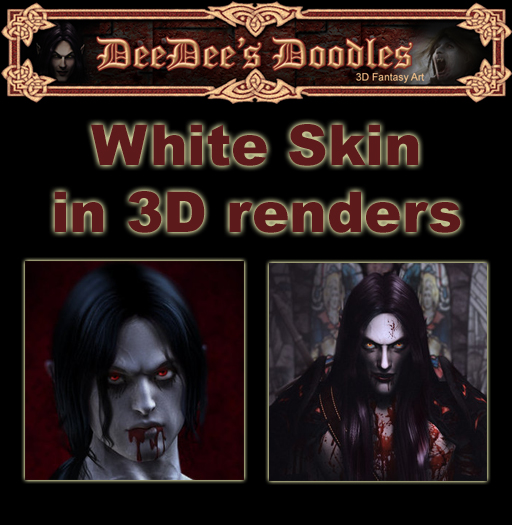
White skin for 3D Renders

Can't quite get your vamp skin white enough without making them look like they've been emulsioned? I've put together a few tips and tricks, mainly covering some lighting and postwork options to consider when working with very pale-skinned characters.

I've referenced Poser and Gimpshop in this tutorial, but the techniques would also apply to Daz|Studio and Photoshop / Gimp.


Sponsored Links

 Easily Create 3D Art and Animation!

DAZ Studio 3 Advanced

Carrara 3D Express

Save on Painter 11 + Wacom Pen Tablet Bundle!

Adobe Photoshop CS5

go to Renderosity.com

Vue

Carrara 8 Pro

heart

Brother Label Printers and P-touch Label Printers
Brother label printers and p-touch printers in stock at great prices delivered to your door. Find all Brother p-touch tapes and brother labels in stock too.

Join my Mailing List
Enter your name and email address below:
Name:
Email:
Subscribe  Unsubscribe 
Download the web's best free website templates at JustDreamweaver.com